
Stream Control
Elgato Stream Deck + Review: The Dials Are the Story
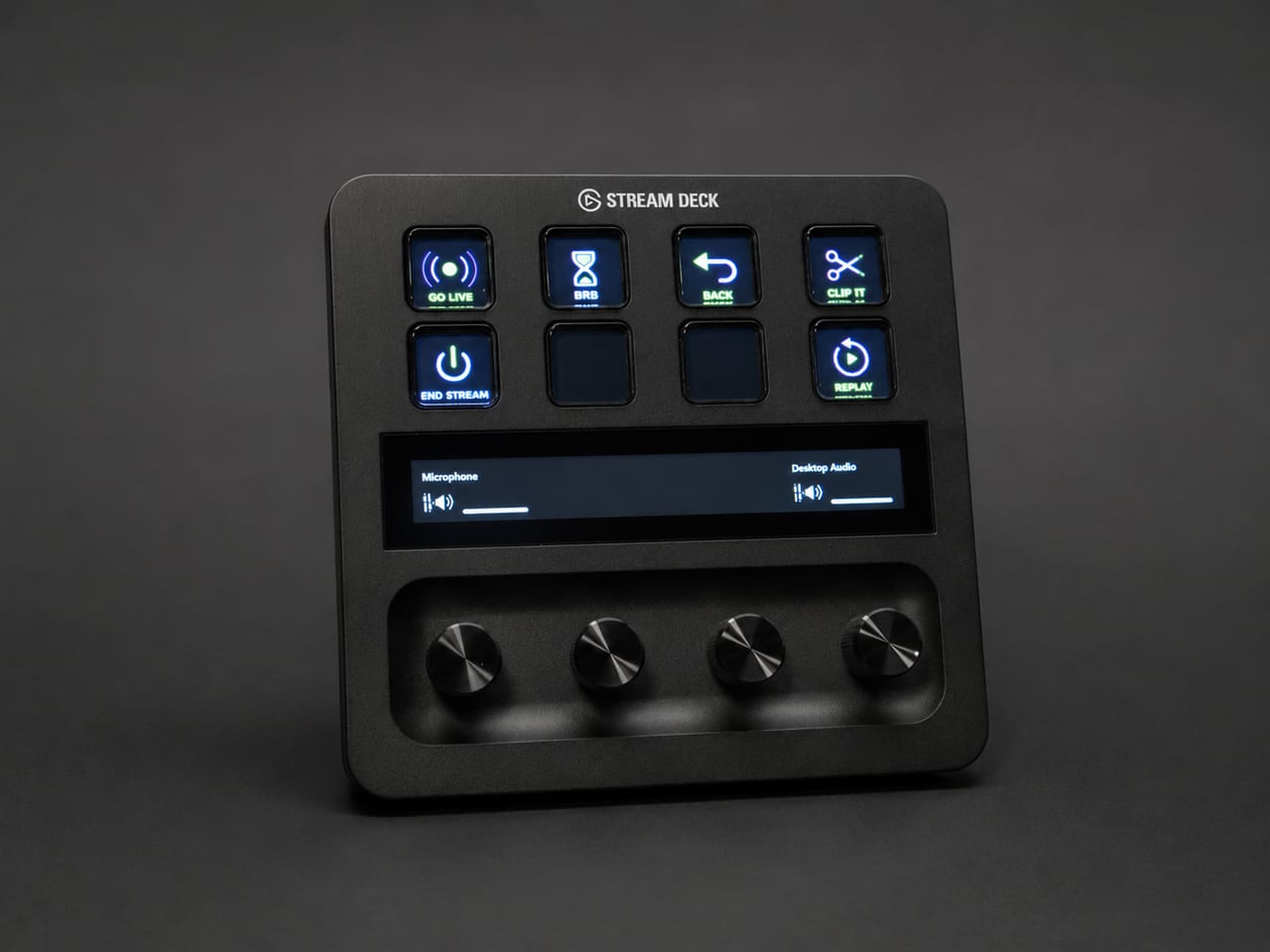

Elgato built its reputation on hardware that removes friction from content production, and the Stream Deck + continues that tradition with a notable change in philosophy. Rather than expanding the familiar grid of LCD keys, Elgato paired eight customizable keys with four push-capable rotary dials and a touch strip. The result is a control surface that is equally at home managing a live stream, an audio interface, or a video conference.
Why I Bought It
My desk had become a graveyard of single-purpose controllers. Audio levels lived in one application, scene switching in another, and lighting in a third. The Stream Deck + promised to consolidate those functions into one device, and the dials were the deciding factor; volume and brightness are analog adjustments by nature, and mapping them to buttons had always felt like a compromise.
Real-World Use
The dials are the story here. Adjusting microphone gain mid-recording, scrubbing a timeline, or dimming key lights becomes a physical, tactile action rather than a hunt through software menus. The touch strip displays the current state of each dial and accepts swipes to change pages. Elgato’s software remains the benchmark for this category; profiles switch automatically based on the active application, and the plugin marketplace covers everything from OBS Studio to smart home platforms. During recording sessions for training content, the device quietly handles scene changes, audio ducking, and lighting without a single alt-tab.
The hardware itself deserves mention. The keys have a satisfying, consistent press, the dials turn with defined detents and accept a firm push for their secondary functions, and the detachable USB-C cable is a small courtesy that cheaper devices omit. The included stand holds the unit at a comfortable viewing angle, and the whole assembly stays planted during aggressive dial use. After a year of daily service, nothing has loosened, faded, or failed, which is more than can be said for several of the controllers it replaced.
What I Dislike
Eight keys disappear quickly once a workflow grows. Pagination solves the problem on paper, but paging through folders mid-task undermines the promise of single-press access. I would also prefer that Elgato allow the touch strip to host more than basic dial feedback without third-party plugins.
Why I Recommend It
For anyone who records, streams, or simply lives in video calls, the Stream Deck + collapses a desk full of controls into a single device that becomes muscle memory within a week. The dials alone justify choosing it over the traditional grid models for audio-centric workflows.